01
Faculty set up the exam
Institution name, course and topic, 6 to 18 questions, and one of four examiner personas: Socratic Challenger, Rigorous Academic, Balanced & Supportive or Industry Practitioner.
Learning Lab products
Built by Swapnil Sahoo Learning Lab Private Limited, founded by Dr. Swapnil Sahoo. Our first product, AI Viva Bot, is live as a working prototype with a public demo.
Preview
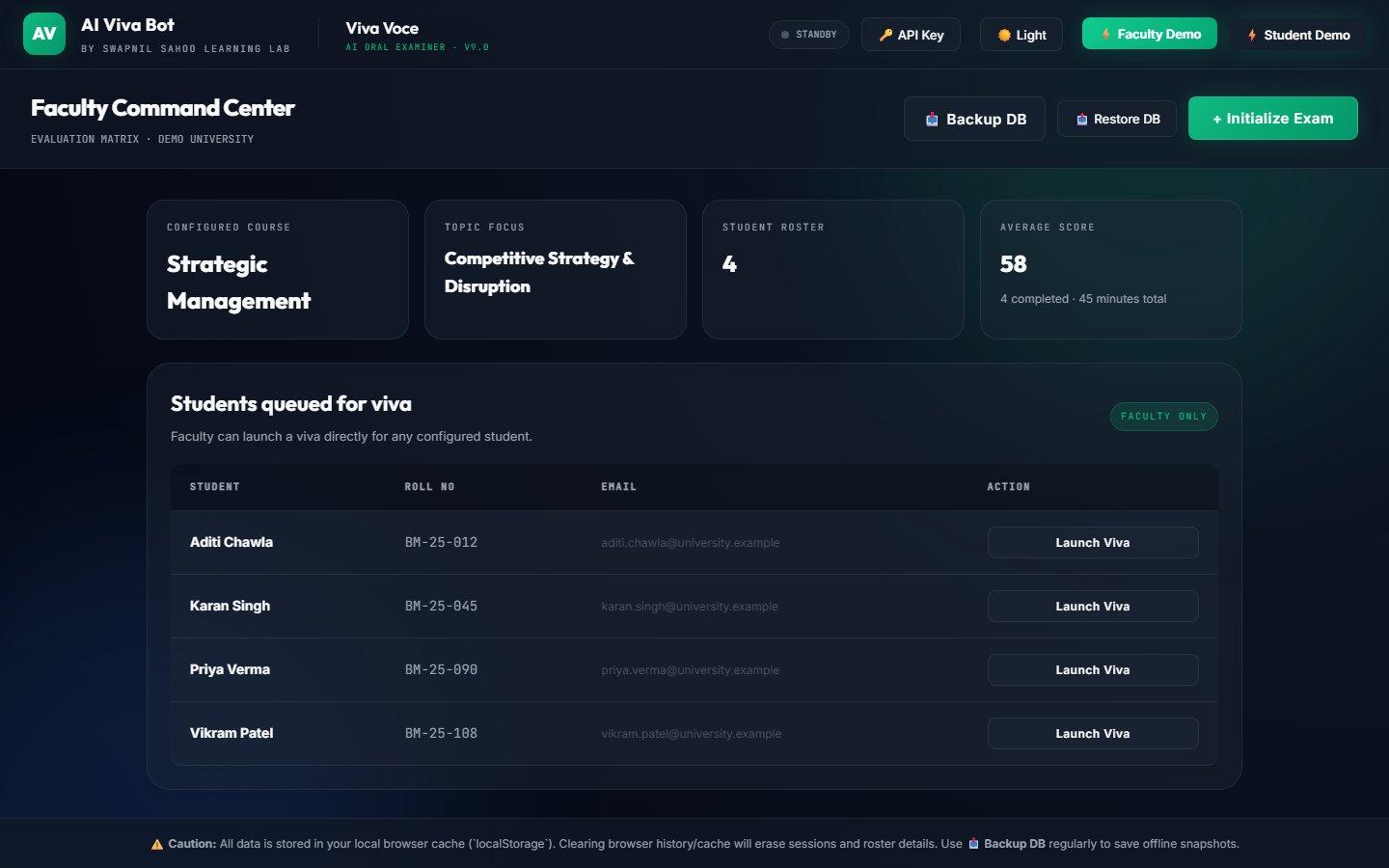 (opens the live demo in a new tab)
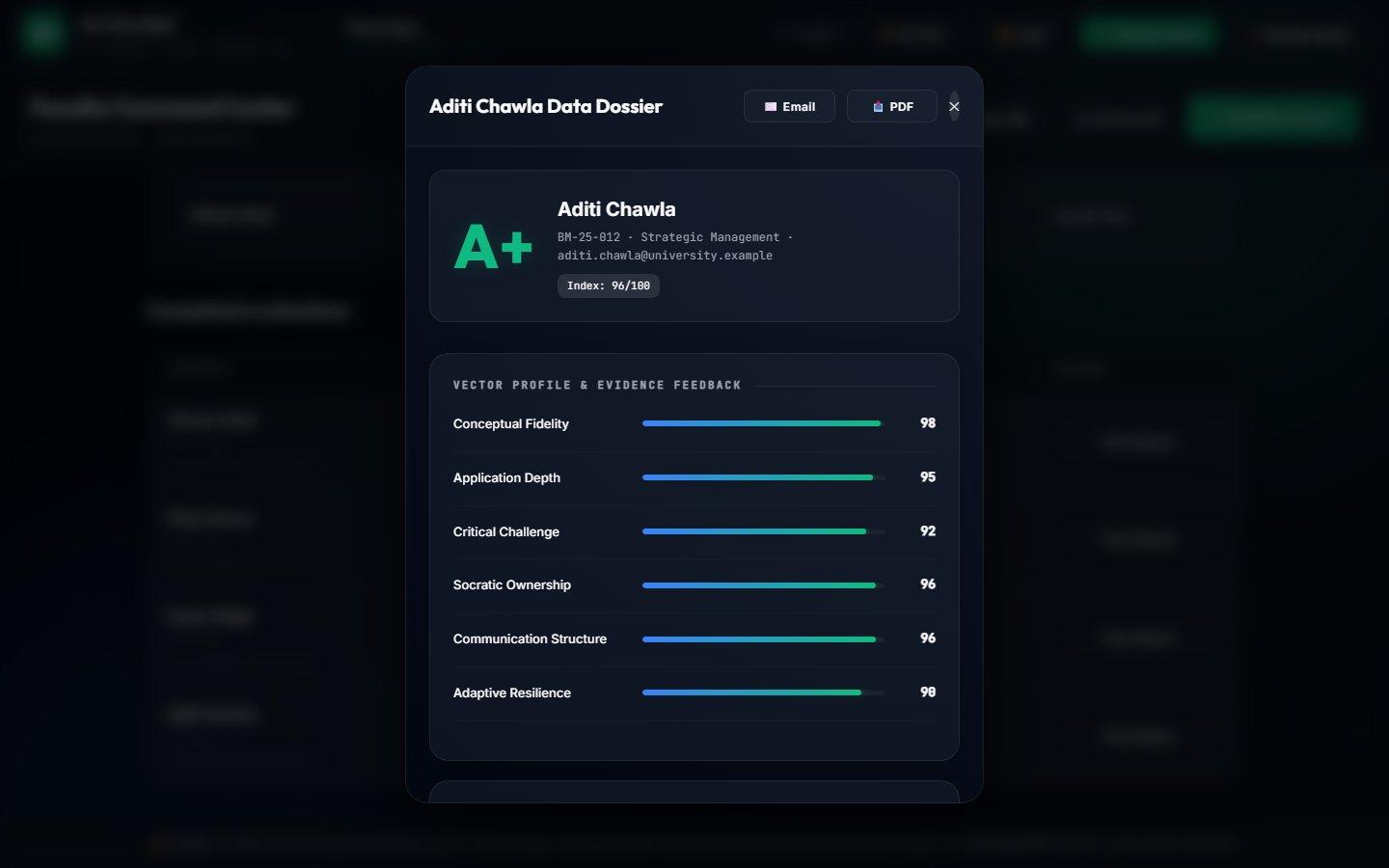 (opens the live demo in a new tab)
Working prototype · live demo
An AI oral examiner that questions each student on their own submission.
A viva is the clearest way to check that students understand their own work. It takes hours of faculty time per class, and it tends to reward confident delivery over understanding.
AI Viva Bot runs the viva. Faculty set the course, topic, number of questions and examiner style. Each student uploads their assignment or report, and the bot asks follow-up questions grounded in the claims that student actually made, then prepares an evaluation for faculty to review.
Universities, business schools, professors and students who use oral exams, at any institution.
How it works
01
Institution name, course and topic, 6 to 18 questions, and one of four examiner personas: Socratic Challenger, Rigorous Academic, Balanced & Supportive or Industry Practitioner.
02
Each candidate enters their details and uploads their own submission, such as a PDF report.
03
Questions come from specific claims in the submission, not a fixed question bank. Students answer by text, audio or video, with light in-browser checks on gaze and window focus.
04
A dashboard shows the roster, scores and completed evaluations. Each evaluation becomes a dossier faculty can download as a PDF or email.
For investors and faculty
It opens in a new tab. If a box asks for an API key, close it with ✕ for now.
Loads a sample course, four sample students, scores and completed evaluations. No key needed.
Shows the candidate’s side: details, submission upload and the start of the viva.
Select 🔑 API Key and paste your own Google AI Studio (Gemini) key. It stays only in that browser tab and goes only to Google’s Gemini API.
For institutions, professors and students
Enter your institution’s name in the faculty setup. It appears on the welcome screen, the dashboard and in the AI examiner’s instructions. No other institution’s branding is built in.
Choose the course, topic, number of questions, examiner persona, rubric and question bank for each exam.
Rosters, settings and results stay in the faculty member’s browser, with backup and restore as a file. Each faculty member uses their own Gemini key.
Students can practise a viva on their own submission using their own Gemini key. Everything the Lab offers learners is free.